
Find your Strix Identifier
When exporting a report from Proofdesk in XBRL format for the first time, you'll be asked to enter your STRIX Identifier. This is saved to your organisation's account, so you'll only need to do this once.
What is a STRIX Identifier?
Strix is the IOMFSA's online portal for collecting regulatory returns from supervised firms. When you export a Proofdesk report as an XBRL file for upload to Strix, the file must include your firm's unique Strix Identifier so that Strix can match it to your organisation.
How to find it
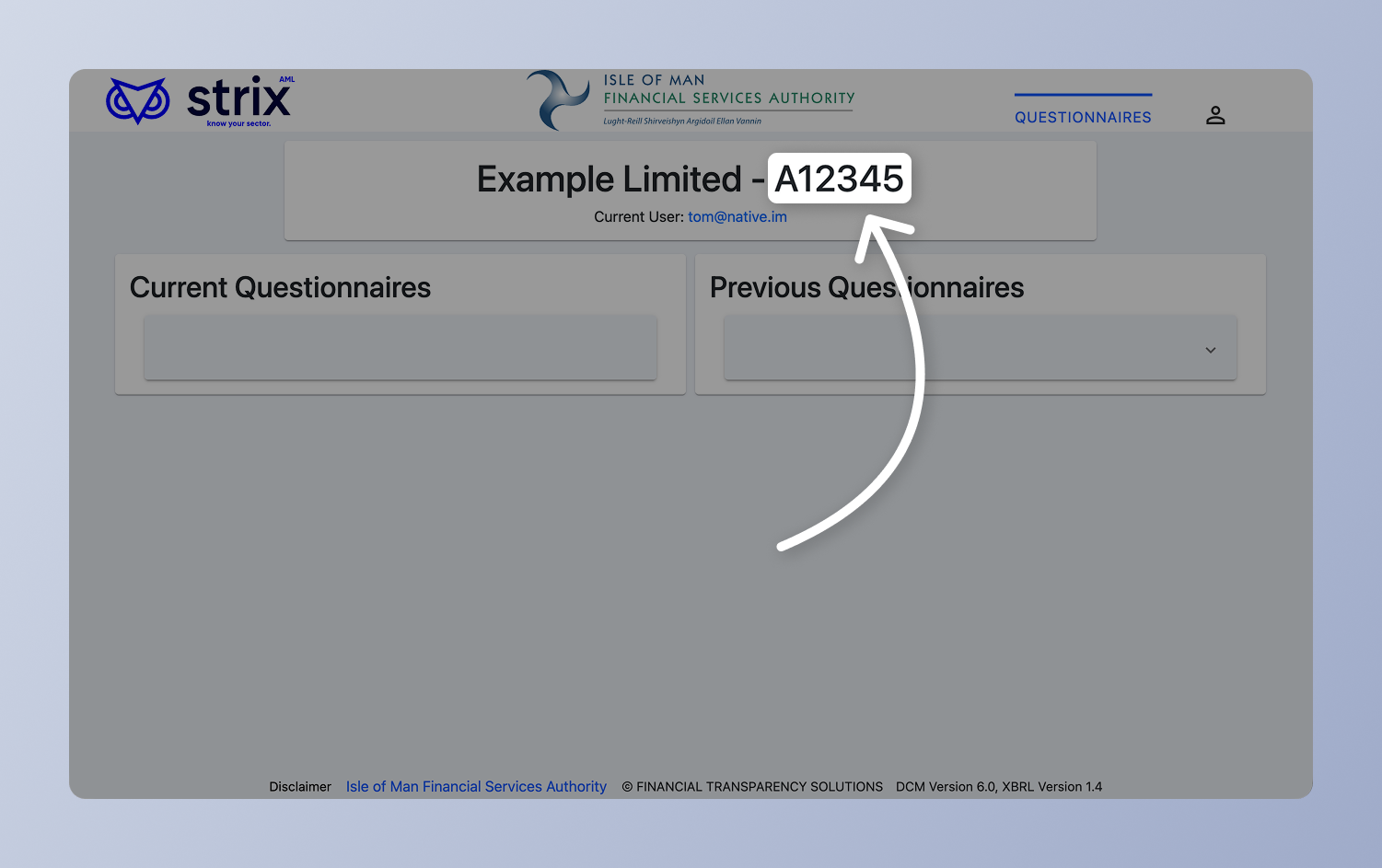
Log in to STRIX at fsareturns.im
At the top of the homepage, you'll see your firm's name followed by an identifier (for example: Example Limited - A12345)
Your STRIX Identifier is the alphanumeric code after the dash. In this case, A12345.
Copy this code and paste it into Proofdesk when prompted. It will be saved automatically and won't be needed again for future exports.