
Introducer Risk Assessments
Standalone Introducer Risk Assessments are not enabled by default. If you’d like to use them, email team@proofdesk.com and we’ll enable them for you.
The Handbook allows two ways of accounting for the risks an introducer brings.
You can account for those risks in the Customer Risk Assessment itself. The Handbook calls this the broader CRA . Or, where the same introducer introduces many relationships, you can lift the assessment of that introducer into a standalone Introducer Risk Assessment, and leave the broader CRA to deal with each introduction.
In practice the choice is:
Broader CRA only. The introducer is accounted for on the Customer Risk Assessment for that relationship.
Broader CRA and an Introducer Risk Assessment. The introducer is assessed once, on their own record, and each relationship still has a broader CRA for the risks that belong to that introduction.
Proofdesk supports both, and you can use a different approach on different relationships. Proofdesk does not set the questions. Your templates do.
The broader CRA
Proofdesk lets you keep more than one Customer Risk Assessment template, so you can use a different one in different circumstances.
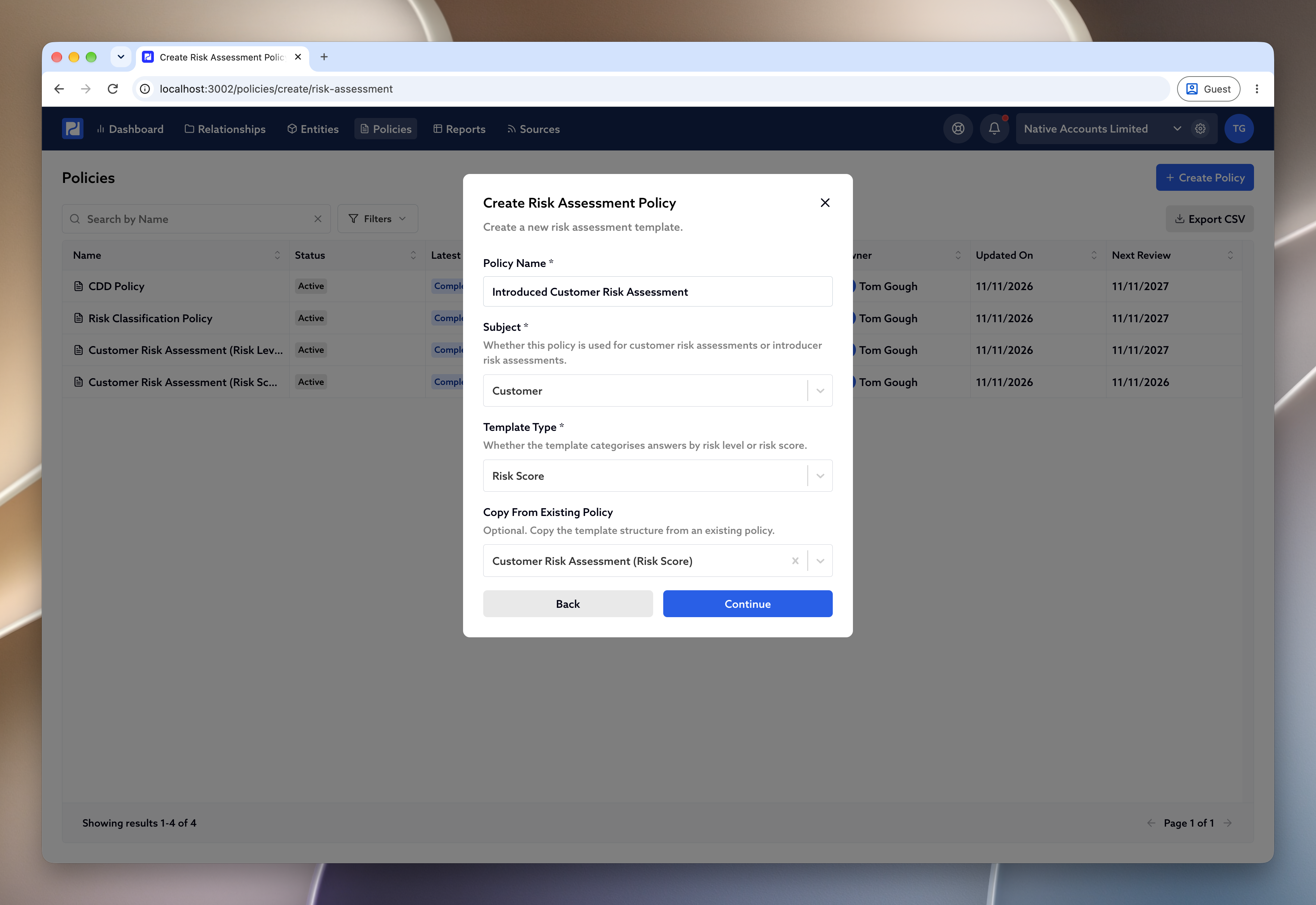
When you want a CRA that accounts for introducers, duplicate your usual template and add the questions you need at the end. Firms often call this an Extended CRA, or an Introduced Customer Risk Assessment. It is still a Customer Risk Assessment. The extra questions are what make it the broader one.
Go to Policies and click Create Policy .
Choose Risk Assessment Policy .
Under Copy From Existing Policy , choose your standard CRA.
Give the copy a name your team will recognise, and leave Subject as Customer .
Add the questions to account for the introducer, then sign the policy in the same way as your other templates.
How questions, answers and scoring are set up is covered in Customer Risk Assessment Policies .
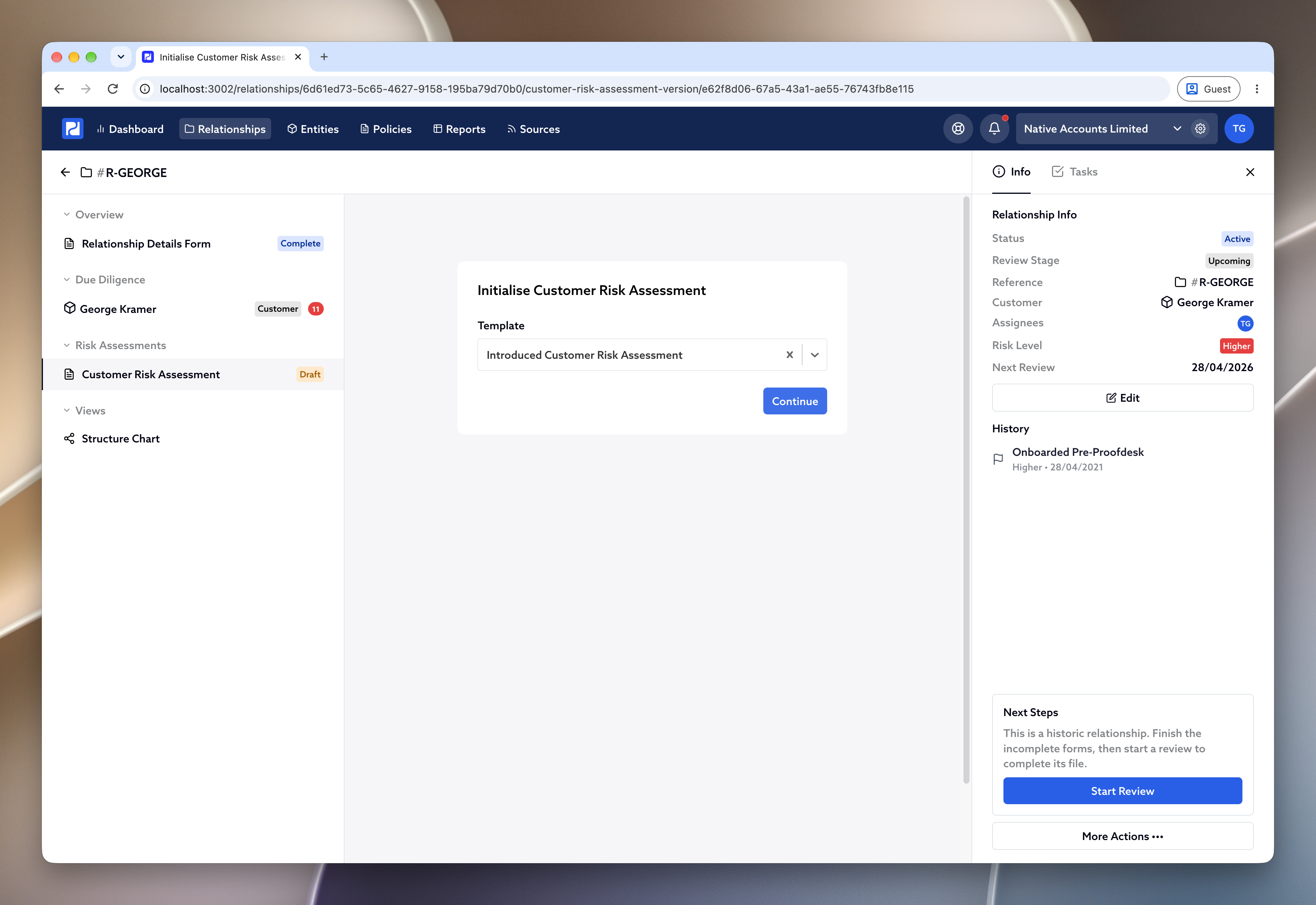
When you start a CRA on a relationship, Proofdesk asks you to choose a Template . For an introduced customer, choose the broader one. Completing it from there is the same as any other CRA, which is covered in 3. Completing the CRA .
Section 2.2.10.2 of the Handbook explains how to record a broader CRA. However you organise it, every CRA has to consider the introducer risk assessment. The Handbook’s own example is whether the business you have received is in line with what you would expect from that introducer. Section 2.2.10.4 sets out what the broader CRA has to take into account:
a risk assessment of the introducer
whether the introducer has met this customer
whether any customer due diligence the introducer provided came from the customer, or from other parties, and who those parties were
A standalone Introducer Risk Assessment
The Handbook recognises that some introducers introduce many customers. Where that is the case, it can be more helpful to keep one introducer risk assessment and link it to the customer files, rather than writing the same assessment into every CRA.
You can do that in Proofdesk. The assessment lives on the introducer’s own entity, and it follows them to any relationship they are associated with. You might complete it while onboarding the first customer they introduce, or beforehand, so it is already there when the customers arrive.
You still complete a broader CRA for each relationship. That is where you account for the particulars of that introduction, including whether it is in line with what you would expect from this introducer. The Handbook is also clear that a centralised introducer risk assessment does not have to be updated every time that introducer sends you a new piece of business.
To create the template:
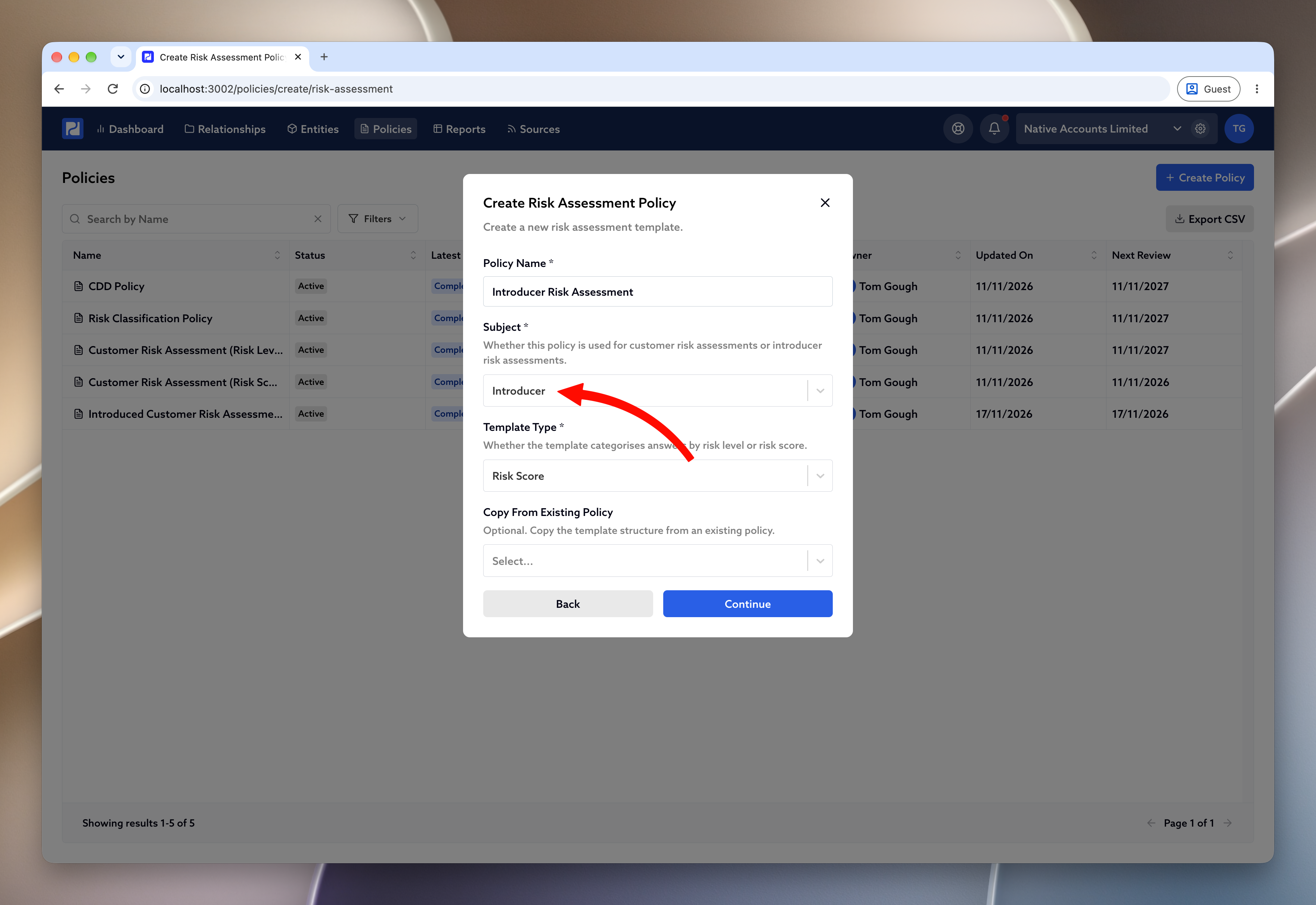
Go to Policies and click Create Policy .
Choose Risk Assessment Policy .
Set Subject to Introducer , and choose Risk Level or Risk Score .
Add the questions that assess the introducer, rather than any one customer.
Sign the policy. You can only start an assessment from a signed template.
Marking the introducer
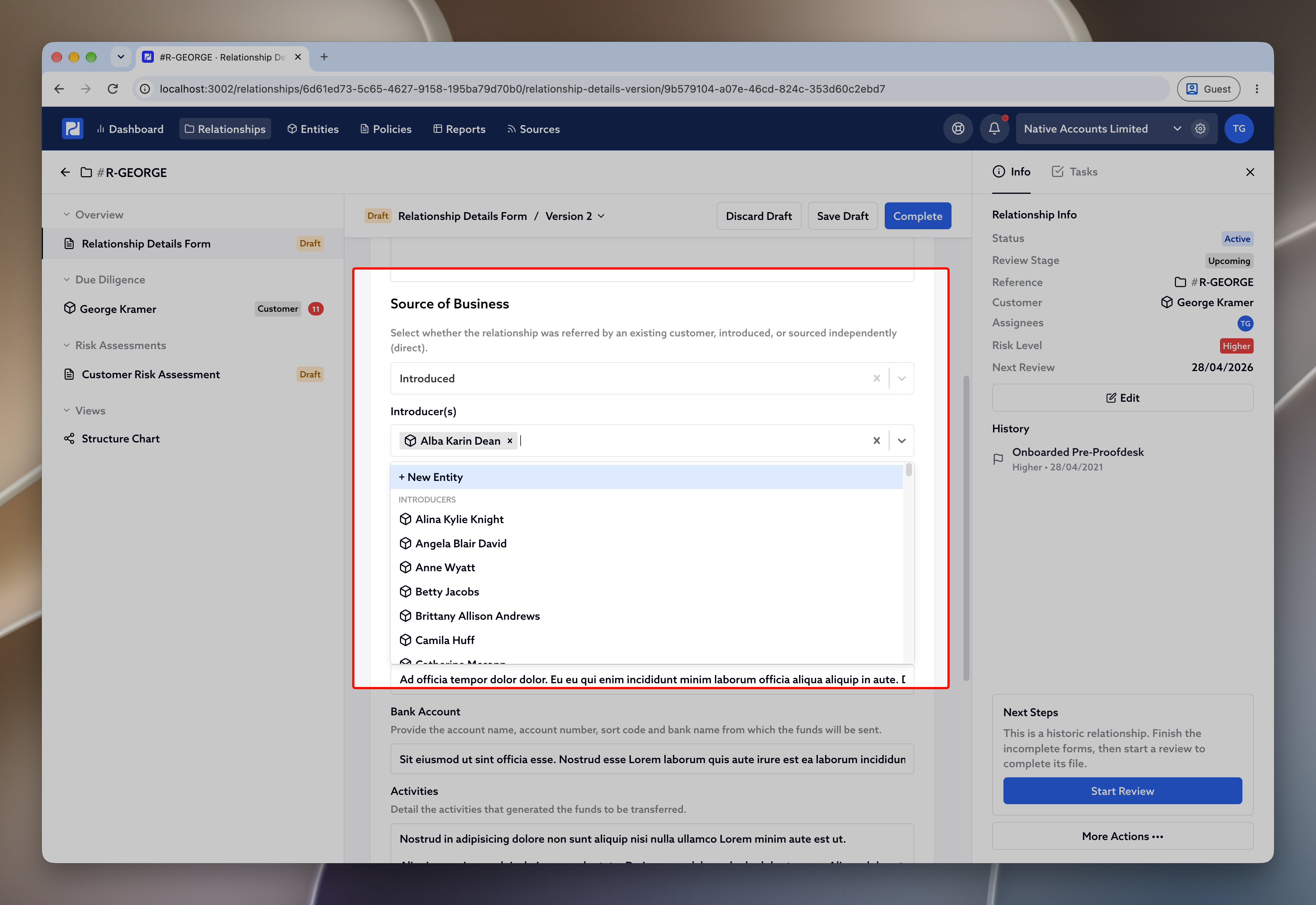
The Introducer Risk Assessment tab appears once an entity is marked as an introducer. There are two ways to do that.
If you are already working on a relationship, open Relationship Details , set Source of Business to Introduced , and select them under Introducer(s) . Saving that form marks the entity as an introducer for you.
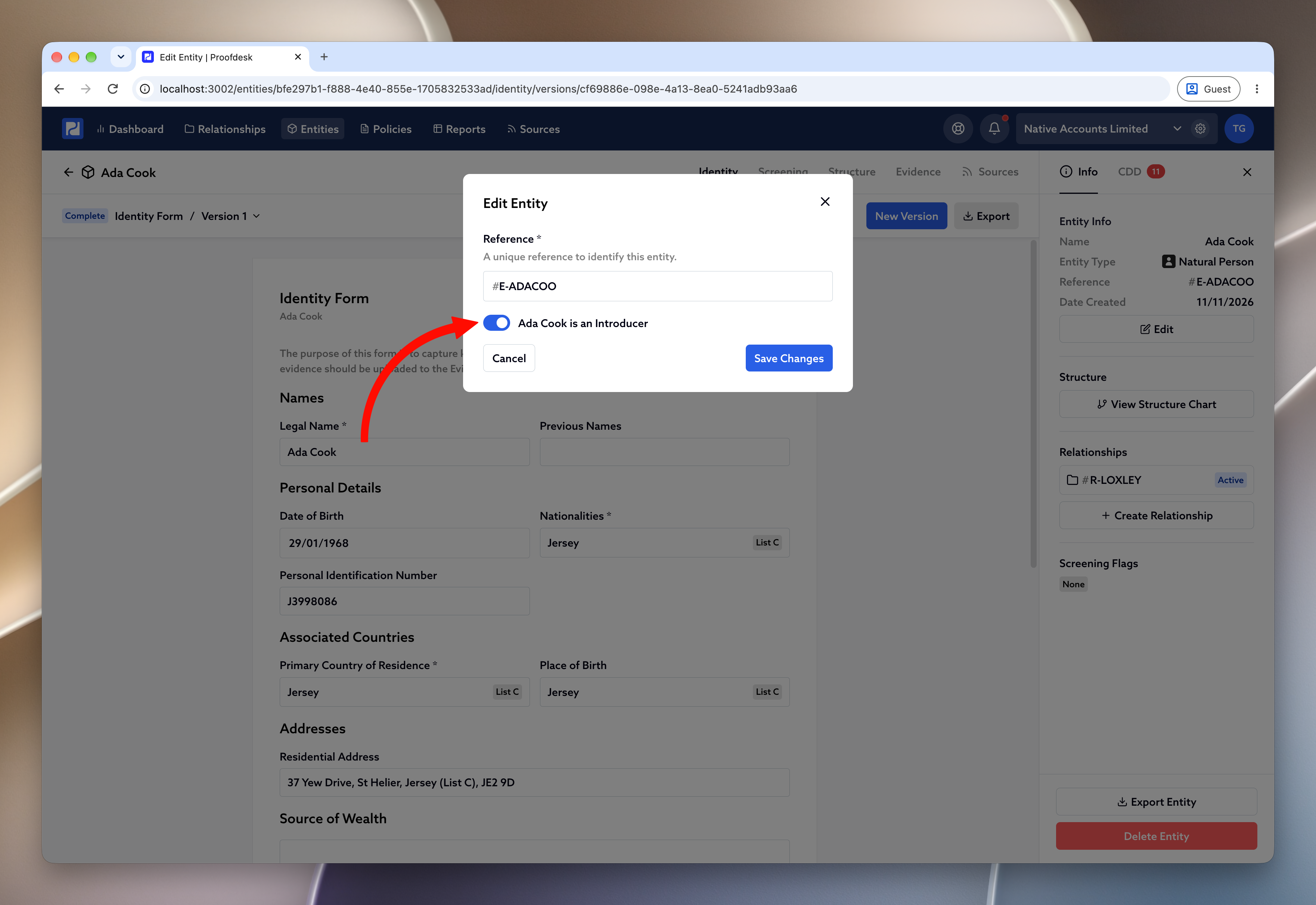
If you want to assess an introducer before any of their customers are onboarded, open the entity, click Edit , and turn on {Name} is an Introducer .
Completing it
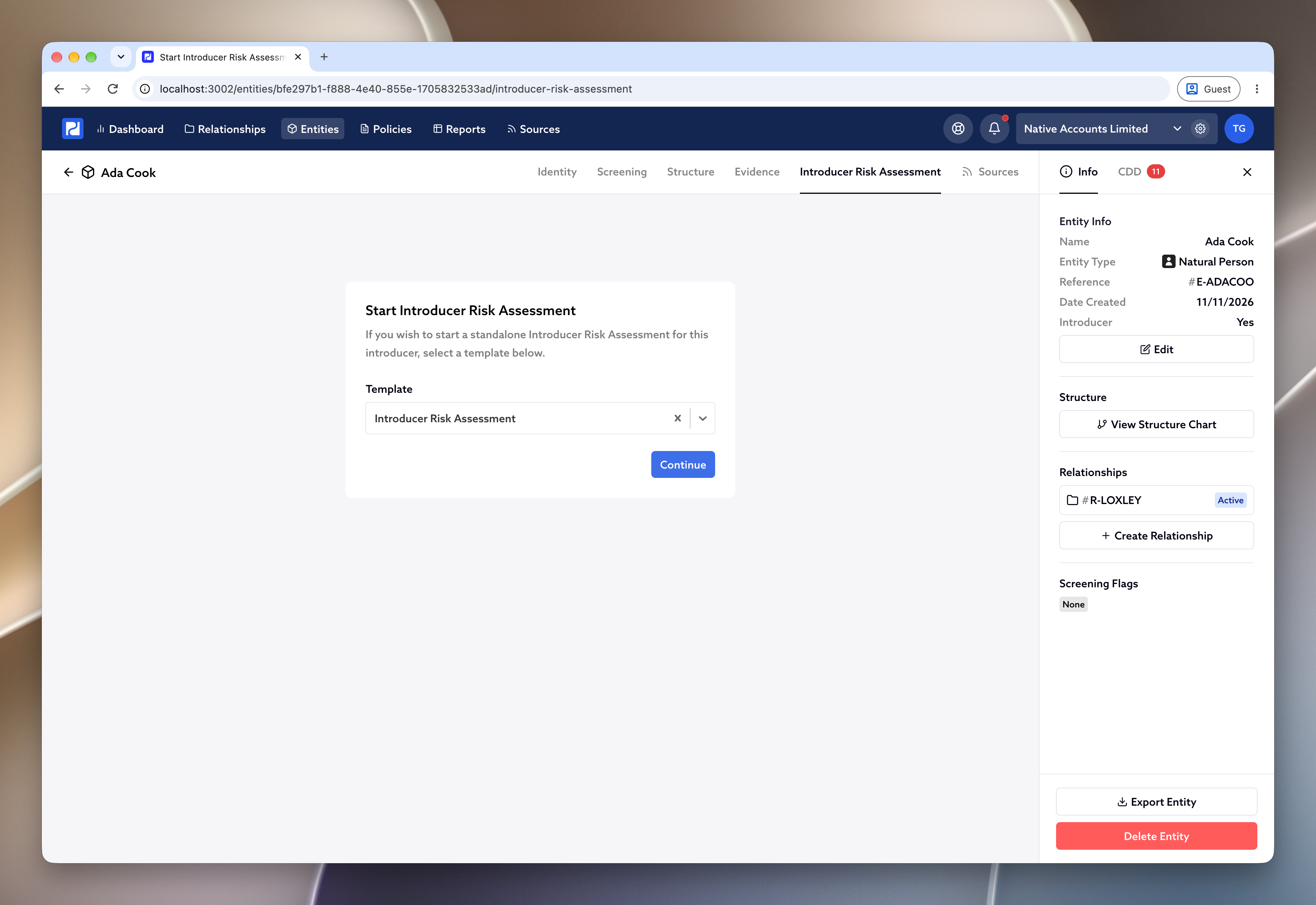
You will find the Introducer Risk Assessment on the introducer’s own page. Open them from Entities , or from Due Diligence on a relationship, and the tab is along the top with Identity , Screening , Structure and Evidence . Where the row of tabs is narrow, it is labelled IRA .
Click Introducer Risk Assessment . The first time, choose the Template and click Continue .
The form then works in the same way as a CRA . Work through the questions, record your risk classification, and click Complete when you are satisfied. You can Save Draft along the way.
When your view of the introducer changes, open the completed assessment and click New Version . You do not need a new version for every customer they introduce.
In the review
On a review for any relationship they introduced, the Introducer Risk Assessment is already in the tick list on the left, with that introducer’s other forms. Open it, read it, and tick it off. You are looking at the assessment held on the introducer, so you complete it there rather than again on each relationship.
Have it completed before the review is submitted for approval. And on that same review, still account for the introduction in the broader CRA.